Enter password to view case study
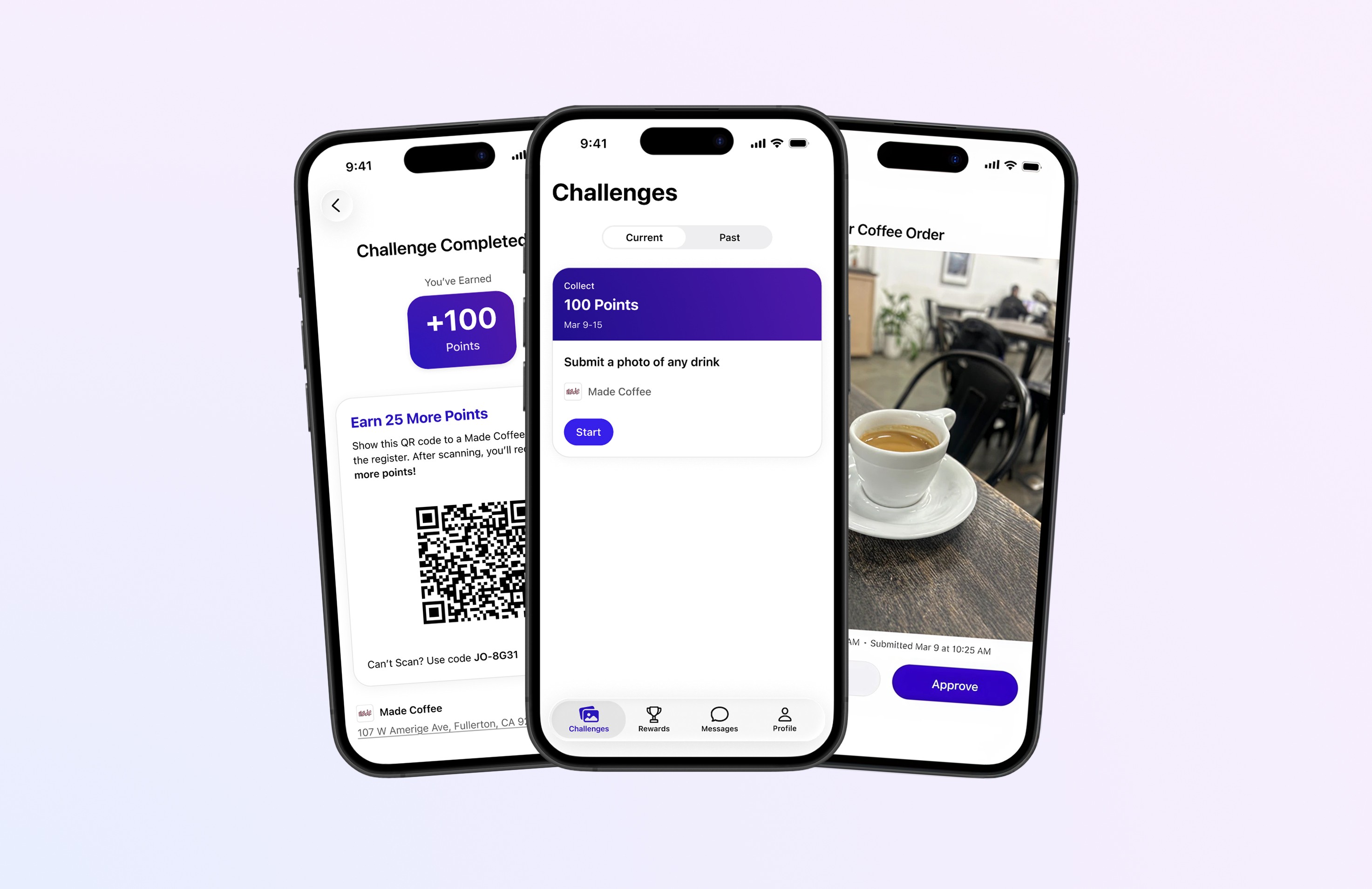
Just Sendem is a pre-seed iOS startup with no design foundation and a clear need to validate core product concepts before building. I joined as a Product Designer, started with research to shape product direction, then designed and coded a SwiftUI mini app to test feasibility of key concepts. Those learnings fed directly into a Figma design system and production-ready prototypes for the two features at the core of the business model. The result: validated product direction, a scalable design foundation, and developer-ready designs.
Overview
Just Sendem is a pre-seed iOS startup where users earn rewards from local businesses by sharing photos. I was brought on as the first and sole designer to establish the design function from scratch. This case study covers the full arc of that engagement — from research and early feature validation through production-ready design.
The Challenge
No design system, no process, no shipped product. The founder had a vision — make photo sharing easy, fun, and rewarding — but the path to a buildable product was undefined. My job was to bring research and design rigor to that vision, test whether key concepts were technically feasible, and turn what we learned into a product we could actually build.
Research & Discovery
Before touching Figma or writing a line of code, I needed to understand how people share photos today and where the experience breaks down.
Competitive Analysis
Analyzed apps across photo sharing, rewards, and hybrid categories. Starbucks stood out for making reward progress feel visible and motivating. That became the north star for Sendem's rewards experience. Hybrid apps in the space also surfaced an interesting pattern: the most seamless experiences reduced the number of decisions a user had to make, not just the number of taps.
User Interviews
We came upon three key findings that influenced our next steps:
Photo discovery is harder than sending
Finding the right photo was the biggest friction point, not the act of sharing itself. Users wanted the app to surface the right photo for them. This directly informed our interest in testing automatic photo grouping as a core feature concept.
Speed is tables stakes
Slow loading caused abandonment across most platforms tested.
Fewer steps wins
Frustration tracked directly with tap count. iMessage set the competitive baseline. Combined with the photo discovery finding, this reinforced the case for testing whether we could make sharing feel nearly automatic.
Mini App: Testing Core Concepts
Research pointed toward a feature concept with real potential—one that could make sharing feel effortless by reducing the work the user had to do. Before committing to designing it for the main app, we needed to know if it was technically feasible. We built an internal mini app in SwiftUI to find out.
I owned the design and coded the initial UI, using AI tooling to accelerate the build process. I made pull requests and shipped code directly to TestFlight before handing off to the front-end developer to implement the logic. Throughout this phase I collaborated closely with all three stakeholders: the founder/PM to align on what we were testing and why, the front-end dev on implementation, and the back-end dev to understand what APIs needed to be called for the UI I was designing and coding.
Built a lean design system and component library in both Figma and Xcode to support the mini app
Designed user flows and wireframes in FigJam and Figma before moving into code
Coded the initial UI in SwiftUI using AI-assisted tooling, shipped to TestFlight via pull request
Built filtering and editing interactions within the mini app UI
Collaborated with back-end dev to ensure UI aligned with available API calls
Testing revealed that the core concept we were validating faced a technical constraint that made reliable execution impossible at this stage. That finding directly shaped the scoping decisions in Phase 3 and saved us from building the wrong thing first.
With research and Phase 2 learnings in hand, I shifted focus to designing the first two features of the main app: sending photos to businesses and redeeming rewards.
The research and mini app testing did a lot of the scoping work for us. The technical findings from Phase 2 took one feature direction off the table for now. Other early concepts were compelling but didn't hold up under real usage scenarios.
We focused on two features: sending photos to businesses and redeeming rewards. These are the foundation everything else builds on. Getting them right first was the only call that made sense.
Before wireframing, I built a lean Figma design system: Primitives and Semantic color variable collections, 20+ foundational components. The upfront investment paid off immediately in execution speed and gave the developer a scalable foundation to build from.
Send Photos to Businesses
Reduced the path from intent to sent to as few steps as possible, while surfacing the right photo contextually so users never have to dig through their camera roll.
Redeem Rewards
Made progress visible and attainable at every step. I opted for clarity over progressive reveal. Users are more likely to keep sharing when they know exactly what they're working toward.
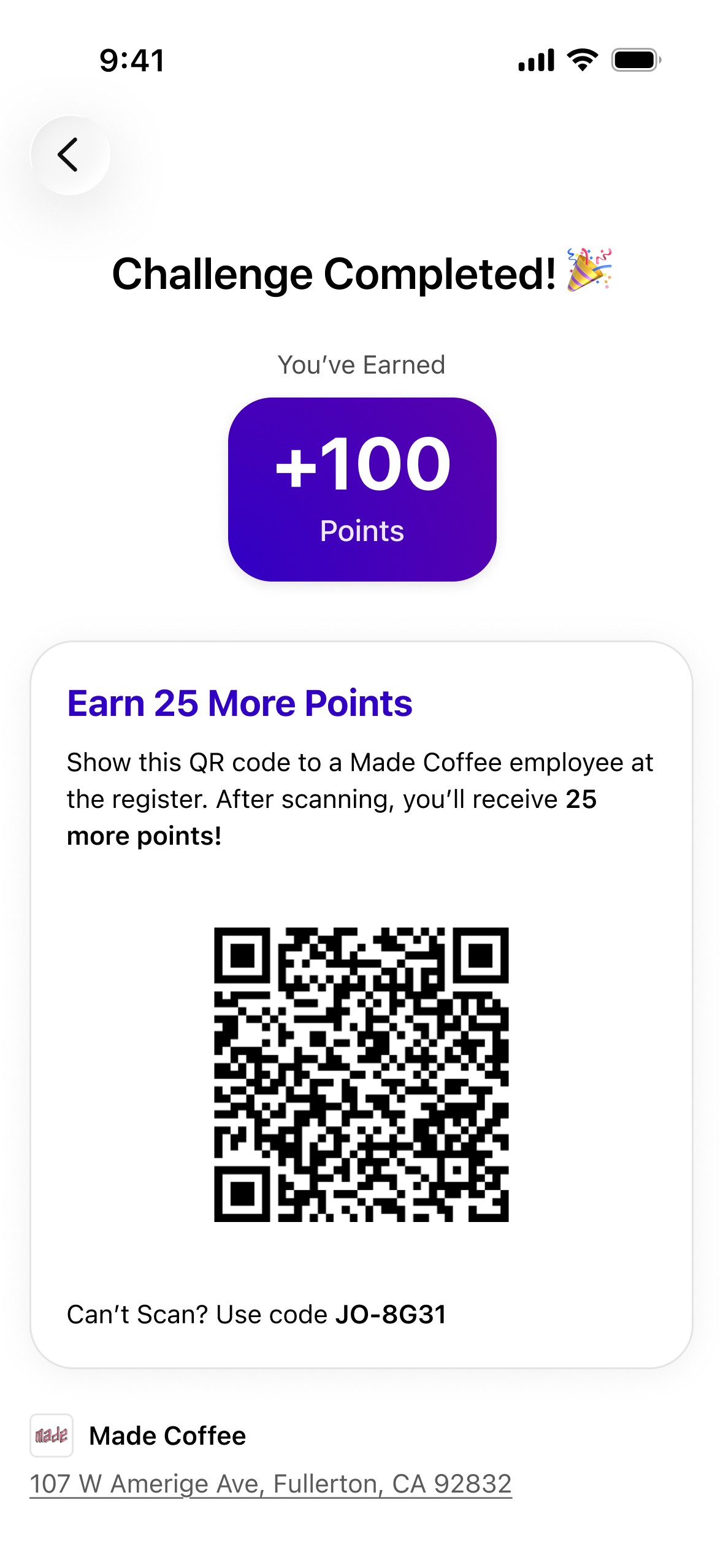
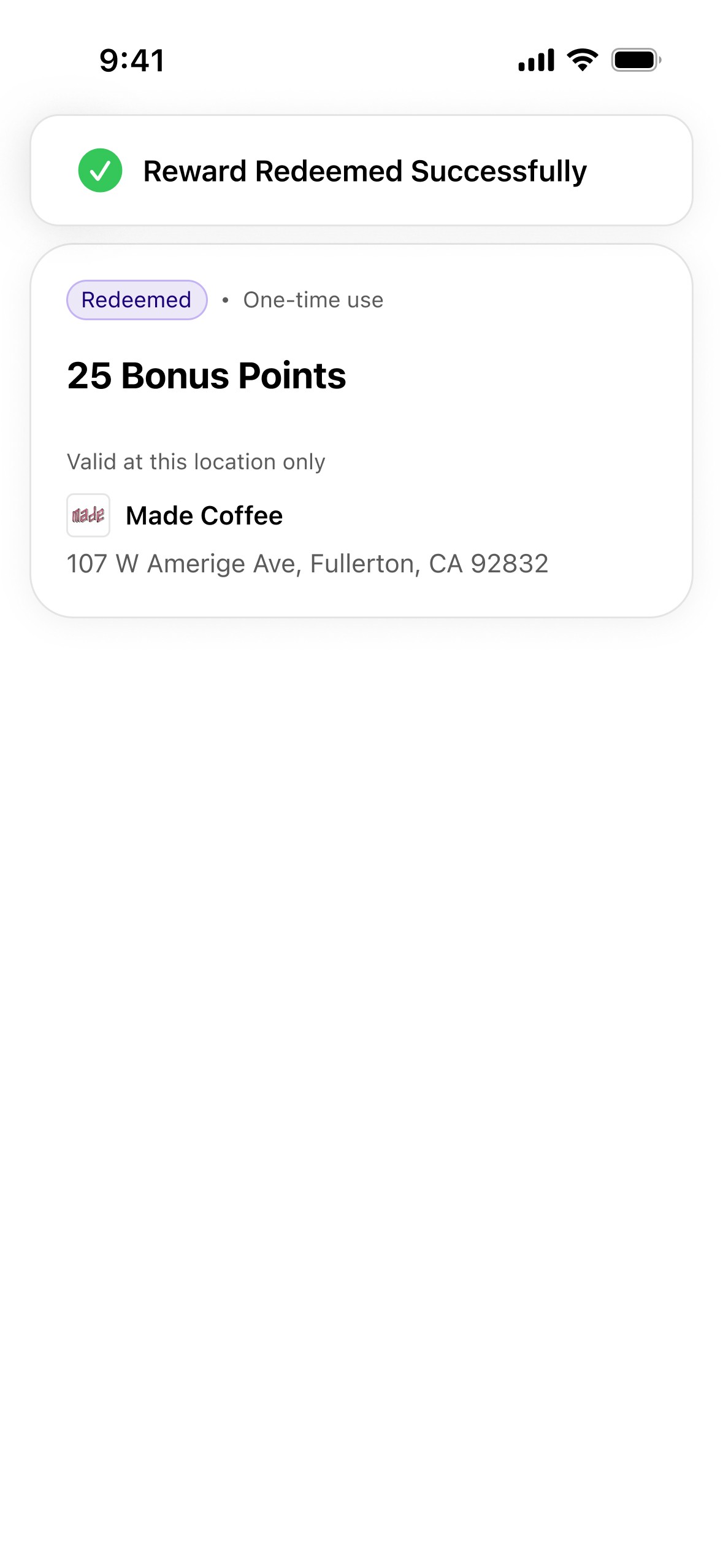
Used AI-assisted tooling to generate API requirements and developer documentation efficiently. Delivered 20+ annotated Figma screens across both features. Next step: coding these features in Xcode myself.
Outcome
Over three months, we went from an undefined product space to validated technical direction, a scalable design system, and production-ready prototypes for both core features. Research surfaced the right questions. The mini app answered them. Phase 3 built on both.
Reflection
The most valuable thing about this engagement wasn't any single design decision — it was the end-to-end ownership. Doing the research first gave the mini app purpose. Building the mini app gave Phase 3 clarity. Each phase made the next one better.
Thanks for reading! ✌️